Dictate into any app
Hold fn anywhere: email, Slack, Notion, your code editor. Your words appear right where your cursor is.
 Dictation for your Mac, free and open source
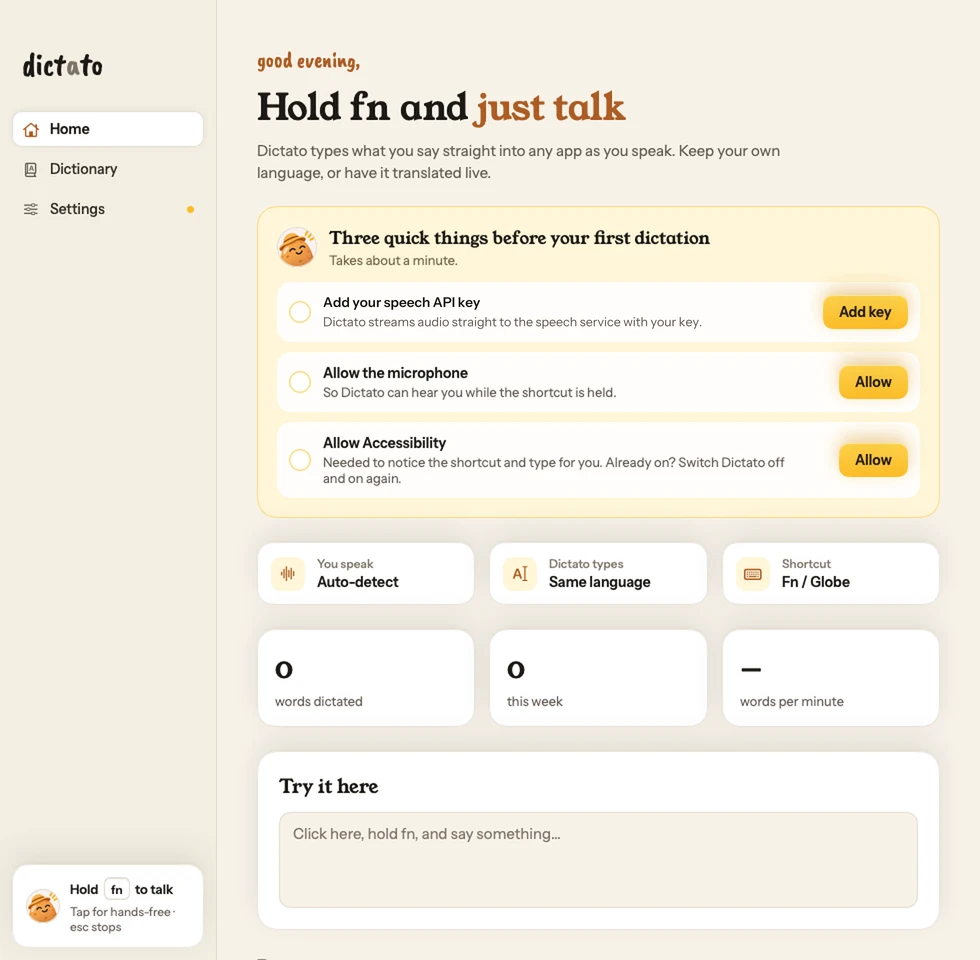
Dictato types what you say straight into any app, as you speak. Keep your own language, or have it translated live.
Free and open source · Bring your own API key · macOS 14 or later

Hi Priya, the deck is ready. I'll send it over before Thursday's review.
You said, in Spanish: Recuérdame llamar al proveedor mañana por la mañana.
Everything Dictato does today, and nothing it doesn't.
Hold fn anywhere: email, Slack, Notion, your code editor. Your words appear right where your cursor is.
No waiting until you've finished. Each word is typed into the text box as soon as it's recognized.
English, Spanish, Hindi, Arabic, Chinese, Japanese, Tamil, French and 52 more. It can detect the language for you, and you can switch languages mid-sentence.
Speak in your language and Dictato types it in English, or in any of the 60 languages. Or keep exactly what you said.
Hold the key for quick notes. Tap it once to keep listening for longer thoughts, and tap again when you're done. Esc stops.
Add names, product terms and jargon to your dictionary so they come out right every time.
before your first dictation
Dictato is free. Speech recognition runs on your own API key, so you pay the provider directly for what you use, with no subscription in between.
The app is free and open source. Speech recognition runs on your own API key, so the provider bills you directly for what you use.
Instead of paying Dictato a subscription, you create an API key with the speech-recognition provider and paste it into Dictato's Settings. The provider charges your account for the audio you send, and Dictato never sees the bill. Settings links you to where you can create a key.
No. It needs an internet connection for speech recognition.
So it can notice the shortcut in any app and type the text for you.
Hold fn and just talk.
Download for MacFree and open source · Bring your own API key · macOS 14 or later
First launch: the app isn't notarized yet, so right-click Dictato, choose Open, then Open again.